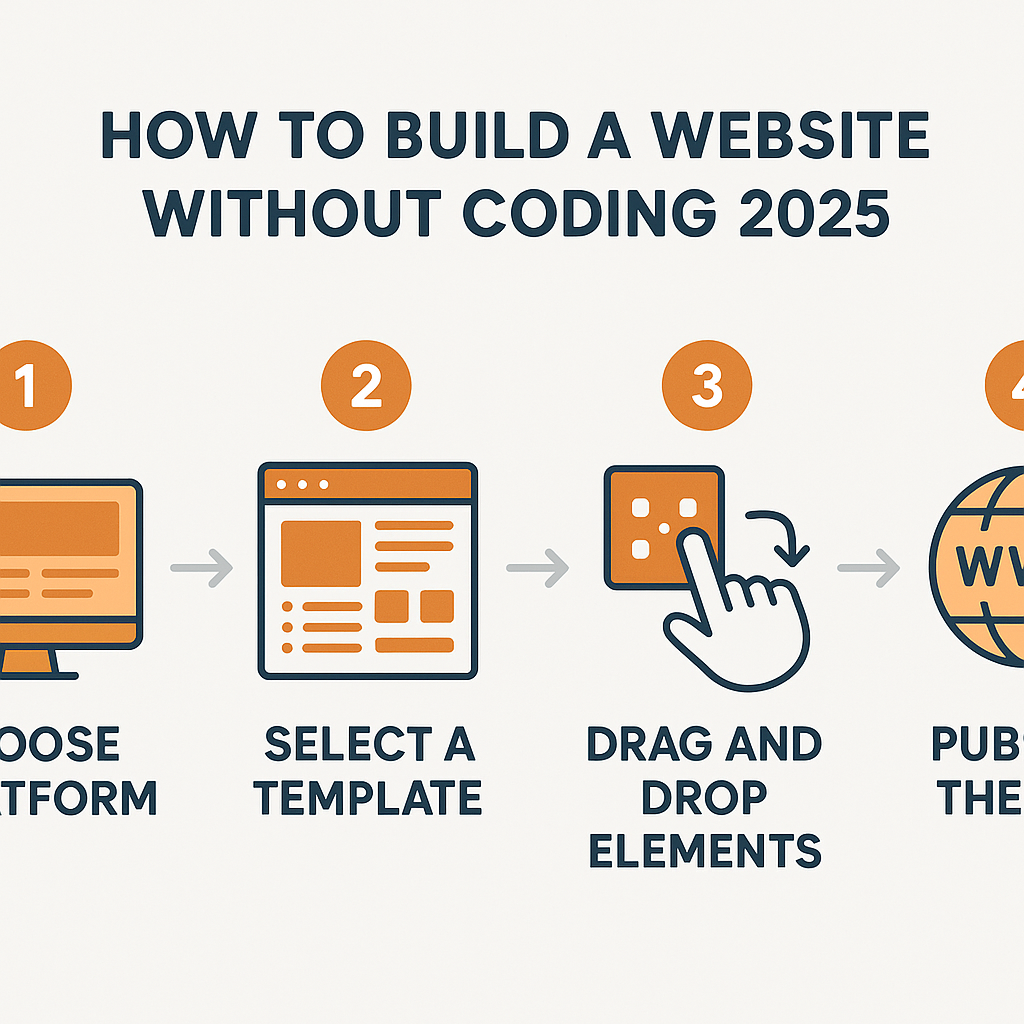
How to Build a Website without Coding 2025
Learning how to build a website without coding 2025 is one of the most practical and empowering skills a person can develop in today’s digital world. Whether you are a small business owner trying to establish an online presence, a freelancer showcasing your portfolio, a teacher sharing resources, or simply someone with an idea worth putting on the internet, the barrier to creating a professional-looking website has never been lower. A decade ago, building a website meant writing HTML, wrestling with CSS stylesheets, and troubleshooting JavaScript errors for hours. Today, that reality has shifted dramatically. A wide ecosystem of visual website builders, drag-and-drop editors, and AI-assisted design tools has made it genuinely possible for anyone — regardless of technical background — to build a fully functional, attractive website from scratch. This guide is designed to walk you through exactly how that process works, what tools and approaches are available, what decisions you will need to make along the way, and what you can realistically expect from the experience. By the time you finish reading, you will have a clear, grounded understanding of the entire process from the first idea to a published site.
—
What Is a No-Code Website Builder and How Does It Work?
A no-code website builder is a software platform that allows you to create, design, and publish a website entirely through visual, point-and-click interfaces — without ever writing a single line of code. Think of it like the difference between building a piece of furniture from raw timber versus assembling a well-designed flat-pack kit. With raw timber, you need expertise, specialised tools, and significant time. With a flat-pack, the structure is already engineered — you simply follow a logical sequence, and the result is a solid, functional piece.
No-code website builders work by abstracting all the underlying technical infrastructure — HTML markup, CSS styling, database configuration, server management — and presenting it to you as a series of visual options. When you drag a photo block to the left side of a page, for example, the platform automatically generates the corresponding code in the background. You never see it, and you never need to.
Most modern no-code builders operate on a template system. You start by selecting a pre-designed layout that fits your intended purpose — a restaurant, a photography portfolio, an online shop, a blog — and then customise it with your own content. Text, images, colors, fonts, and page structure are all adjustable through visual controls.
A real-world example makes this concrete. Imagine a yoga instructor named Sarah who wants to create a website to list her class schedule, share her philosophy, and allow students to book sessions. Using a no-code platform, Sarah could choose a wellness template, replace the placeholder text and images with her own, add a booking form through a built-in integration, and publish her site in a single afternoon. No developer needed, no coding knowledge required.
—
Planning Your Website Before You Start Building
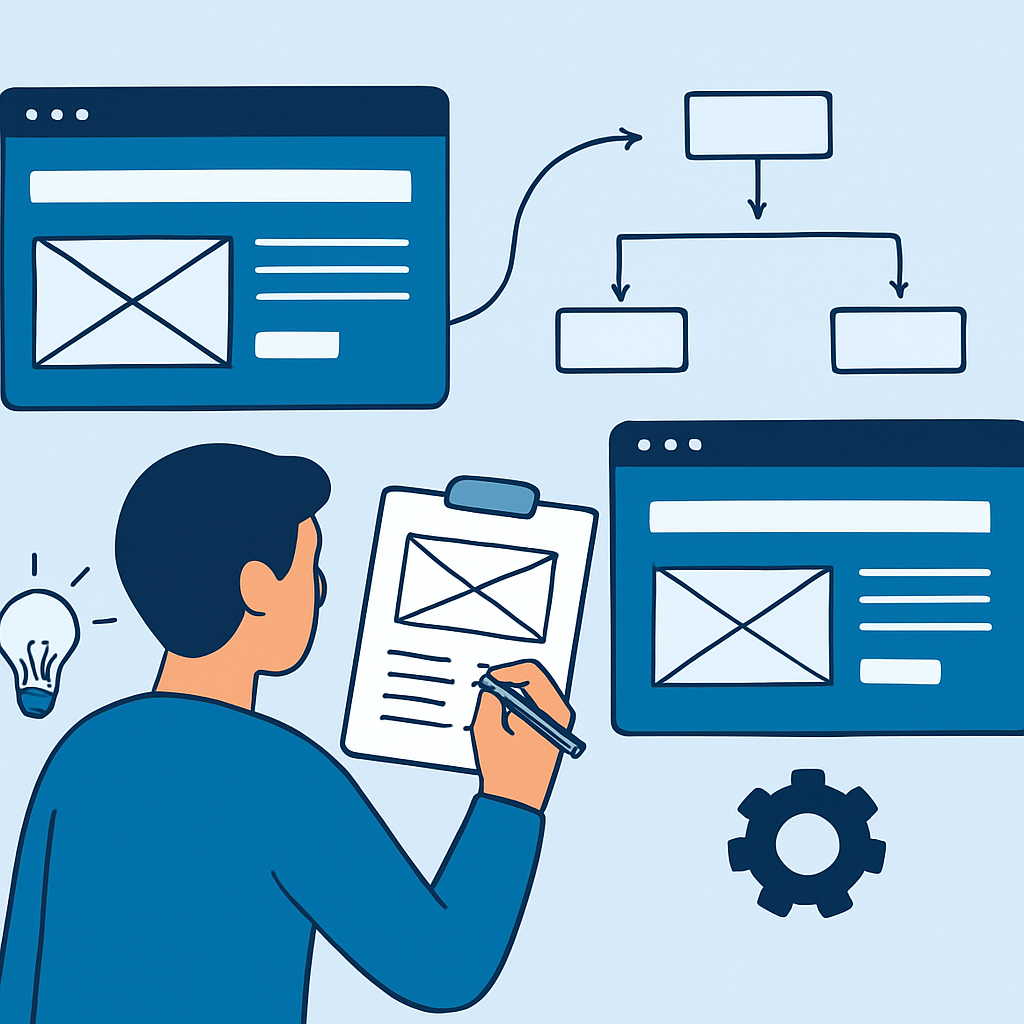
One of the most overlooked steps in the process of building a website without coding is the planning stage. Many beginners dive straight into a builder, pick a template, and start clicking — only to find themselves confused or dissatisfied halfway through because they hadn’t thought clearly about what they actually needed.
Before you open any website builder, spend time answering a few foundational questions. What is the purpose of the site? A personal blog has very different structural needs than an e-commerce store or a professional services site. Who is your audience? A site aimed at retirees should feel very different from one aimed at teenagers. What pages do you need? Most websites benefit from a homepage, an about page, a contact page, and at least one content or product page, but your specific needs may vary.
Sketch a rough site map — even on paper — before you begin. A site map is simply a diagram showing which pages your site will have and how they connect to each other. For example, a freelance graphic designer’s site map might look like this: Homepage → About → Portfolio (with sub-pages for different project types) → Services → Contact. This roadmap prevents you from feeling lost when you are inside the builder.
Also think about your content before you start. Gather the text, images, and other media you intend to use. One of the biggest time-wasters beginners experience is stopping mid-build to hunt for a photo or write a paragraph from scratch. Having your content ready in advance means you can focus on the design decisions, which is where the real creative work happens. For images, high-quality free resources like Unsplash or Pexels can provide professional photography for any niche without licensing concerns.
—
Understanding the Core Components of Any Website
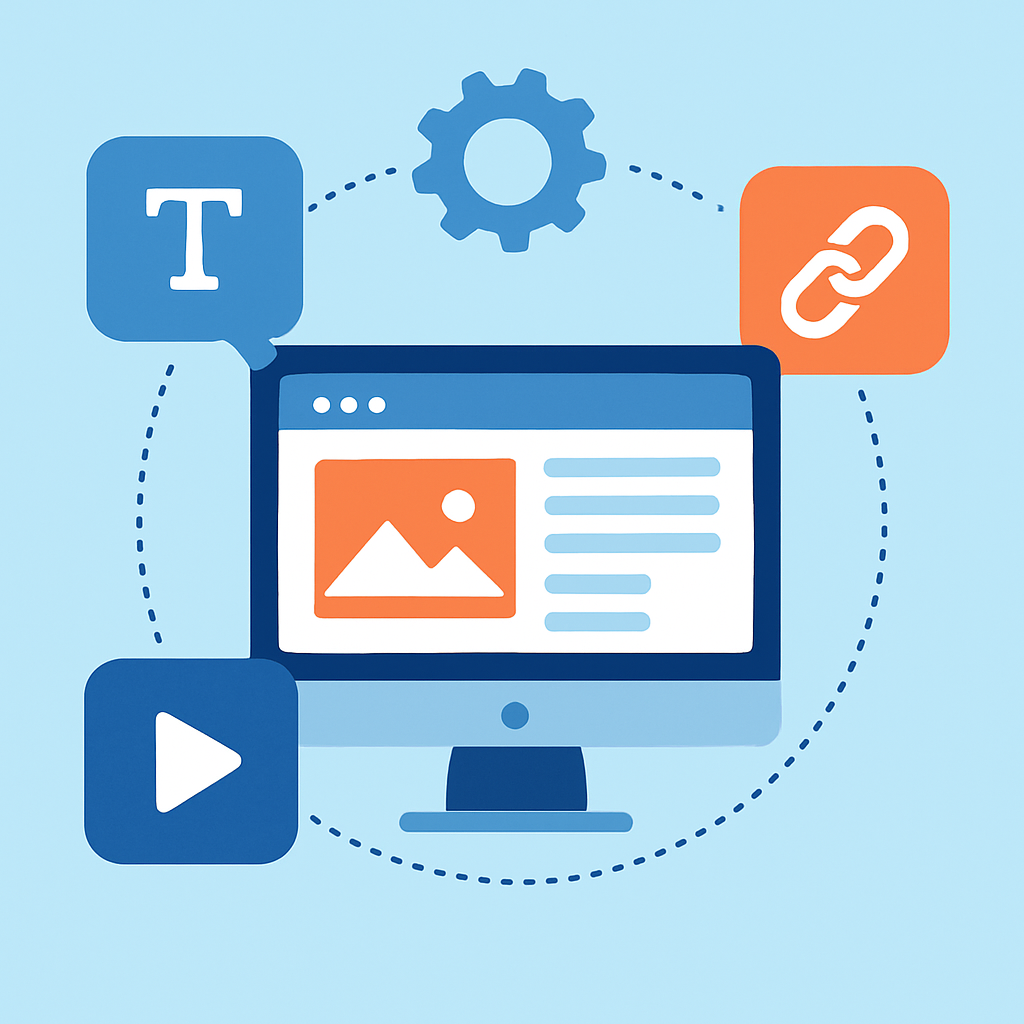
When you begin building a website without coding in 2025, you will encounter a set of recurring components regardless of which platform you use. Understanding what each component does helps you make better decisions throughout the build process.
Domain name: This is your website’s address — the text a visitor types into a browser to reach your site, such as www.sarahsyoga.com. Most no-code platforms allow you to purchase a domain directly through them or connect one you have bought elsewhere. A domain typically costs between $10 and $20 per year.
Hosting: This is the server space where your website’s files actually live. With no-code platforms, hosting is almost always included in the subscription, which removes a significant technical hurdle that traditional website building used to require.
Pages and navigation: Your site is made up of individual pages linked together through a navigation menu. The builder’s interface lets you create new pages, name them, and arrange the menu without touching any code.
Sections and blocks: Within each page, content is organised into sections — a hero banner at the top, a features section below it, a testimonials section further down, and so on. Inside each section are blocks, which are individual content units such as a text paragraph, an image, a button, or a video embed.
Forms and integrations: Most builders include built-in contact forms, and many integrate with third-party tools like Google Analytics for tracking, Mailchimp for email marketing, or Calendly for appointment booking. These integrations are usually set up through simple toggle switches or copy-paste embed codes, not programming.
A practical example: A small bakery owner building their first site might create a homepage section with a large photo of their bread, a section below listing their menu items, a location and hours section using a Google Maps embed, and a contact form at the bottom — all assembled within a single afternoon using pre-built blocks.
—
Designing for Your Audience: Making Visual Choices That Work

Design is often where beginners feel most uncertain, but in 2025, no-code platforms have largely solved this problem through professionally designed templates and guided customisation. Still, understanding a few basic design principles helps you make better choices and avoid common mistakes.
Consistency: Every page of your site should feel like it belongs to the same family. This means using the same two or three colors throughout, the same one or two fonts, and consistent spacing between elements. Most builders let you set global style settings — choose your brand colors and fonts once, and they apply everywhere automatically.
Readability: Text is the backbone of most websites. Keep body text at a comfortable size (at least 16px), use high contrast between text and background (dark text on a light background or vice versa), and keep paragraphs short. Long, dense blocks of text push visitors away.
Mobile responsiveness: In 2025, more than half of all website traffic comes from mobile devices. Every reputable no-code platform automatically makes your site mobile-responsive, meaning it adjusts its layout for smaller screens. However, you should always preview your site in mobile view before publishing to check that images are not cropped awkwardly and text is not too small to read.
Imagery: The images you choose carry significant emotional weight. A wedding photographer’s site with blurry, poorly lit photos undermines their credibility immediately, no matter how well-designed the layout. Use your own high-quality images wherever possible. Where that is not an option, free stock photo libraries provide professionally shot alternatives.
A real example of design choices mattering: Consider two people building portfolio sites for their freelance writing business. One picks a clean template with a white background, black text, and one accent color — it looks professional and lets the writing samples take center stage. The other picks a template with a busy background, four different fonts, and oversized decorative elements — it looks cluttered and distracts from the content. Same platform, very different results, all because of design decisions.
—
Benefits and Limitations of Building a Website Without Coding
Benefits
- Accessibility for everyone: No-code website building genuinely removes the technical barrier that previously made websites the exclusive domain of developers. A retired teacher, a teenage entrepreneur, and a seasoned business owner are all equally capable of publishing a professional site.
- Speed of development: A straightforward site can go from concept to published in a single day. For individuals or small organisations with limited time, this is a meaningful advantage over the weeks or months a custom-coded site might take.
- Cost efficiency: Hiring a professional web developer for a custom site can cost anywhere from a few hundred to tens of thousands of dollars depending on complexity. No-code platforms make website ownership financially accessible for those on tight budgets.
- Ongoing maintenance is simpler: Updating text, swapping images, adding new pages, or changing business hours requires no technical knowledge — you simply edit the content directly in the visual interface.
- Built-in reliability and security: Reputable platforms manage server security, software updates, and uptime monitoring on your behalf, removing responsibilities that a self-hosted website would place squarely on your shoulders.
Limitations
- Design constraints: Templates and drag-and-drop systems offer significant flexibility, but they are not infinite. If you have a very specific or unusual design vision, you may find that no-code tools cannot execute it precisely without some workaround or compromise.
- Scalability limits: For very large or complex web applications — multi-vendor marketplaces, highly customised membership platforms, or sites requiring complex dynamic data — no-code builders can hit their ceilings and require custom development to go further.
- Platform dependency: Your site lives on someone else’s infrastructure. If a platform shuts down, changes its pricing model significantly, or discontinues a feature you rely on, you are affected. Migrating away can be more complex than it sounds.
- Performance variability: Because no-code platforms serve many users from shared infrastructure, load speed can vary. While most platforms optimise well, a heavily customised site on a no-code platform may not match the speed of a carefully optimised custom-coded site.
- Limited ownership of underlying code: You do not own the code generating your site. This limits certain advanced integrations and means you are always working within the platform’s rules.
—
Frequently Asked Questions
Do I need to pay for a domain name and hosting separately?
With most no-code website builders, hosting is bundled into the platform’s subscription fee, so you do not manage it separately. Domain names, however, are usually an additional cost — typically between $10 and $20 per year for a standard .com address. Many platforms offer a free subdomain (such as yourname.platformname.com) when you are just starting out or testing, but for a professional presence, purchasing your own domain is strongly recommended. Some platforms include a free custom domain for the first year as part of certain subscription tiers, so it is worth checking the details of whichever platform you choose.
Can I build an online store without coding in 2025?
Yes, building a fully functional e-commerce store without any coding is entirely achievable in 2025. Many no-code platforms include built-in e-commerce features that allow you to add products, manage inventory, set up payment processing through providers like Stripe or PayPal, and handle order notifications — all through visual interfaces. The process is more involved than building a simple informational site, and you will need to think through details like shipping options, tax settings, and return policies, but none of these require programming knowledge. Stores selling physical goods, digital downloads, and services are all buildable through no-code tools.
How long does it realistically take to build a website without coding?
The timeline depends heavily on the complexity of the site and how much of your content you have prepared in advance. A simple personal site with four or five pages — home, about, portfolio, contact — can realistically be built and published within a few hours to a day if you have your images and text ready. A more complex site with a blog, an online shop, multiple service pages, and various integrations might take several days to a week of focused work. The most common time-sinks are indecisiveness about design, writing content on the fly, and troubleshooting integrations with third-party tools.
Will my website show up in Google search results?
A website built without coding can absolutely appear in Google search results, but it will not happen automatically the moment you publish. Search engine visibility — known as SEO, or Search Engine Optimisation — requires deliberate effort. This includes writing descriptive page titles and meta descriptions, using relevant keywords naturally in your content, ensuring your site loads quickly, and building links from other reputable sites over time. Most no-code platforms include basic SEO settings, such as fields for page titles and descriptions, that you can fill in without any technical knowledge. Submitting your site to Google Search Console after publishing helps Google discover and index your pages more quickly.
Is a website built with a no-code builder considered “professional”?
Absolutely, and this is one of the most important misconceptions to address. The quality of a website is judged by visitors based on its appearance, usability, loading speed, and content — not by whether it was hand-coded or built with a visual editor. Countless professional businesses, well-known bloggers, established non-profits, and respected freelancers operate highly polished websites built entirely with no-code tools. What makes a site look professional is thoughtful design, clear content, consistent branding, and working functionality — all of which are fully achievable without writing code. The underlying technology is invisible to your visitors.
—
Conclusion
Building a website without coding in 2025 is not just possible — it is practical, accessible, and increasingly the default approach for individuals and small organisations around the world. The combination of powerful visual builders, professionally designed templates, built-in integrations, and AI-assisted design tools means that technical knowledge is no longer the price of admission to having an effective web presence.
The key takeaways from this guide are straightforward. Start with a clear plan: know your site’s purpose, your audience, and your content before you open any builder. Understand the core components — domain, hosting, pages, blocks, and integrations — so you can make informed decisions. Pay attention to design fundamentals like consistency, readability, and mobile responsiveness. And go in with honest expectations: no-code tools are genuinely powerful within their scope, but they have real limitations for highly complex or heavily customised projects.
The best next step is a simple one. Sketch your site map, gather your content, and spend an afternoon exploring a no-code platform in its free tier. There is no better teacher than direct experience, and the tools available in 2025 are forgiving enough that experimentation is genuinely low-risk. Your website is more within reach than you might think.