
Best Web Development Tools for Small Business in 2025
Choosing the right web development tools for small business can be the difference between a website that drives real growth and one that sits forgotten in a browser tab. Whether you’re a solo founder building your first site, a small team managing an existing one, or a freelance developer working with local clients, the tools you use shape your workflow, your costs, and your results. The web development landscape in 2025 offers more options than ever — from drag-and-drop builders that require zero coding knowledge to enterprise-grade frameworks scaled down for smaller budgets. This article walks through every major category of web development tool relevant to small businesses: builders, content management systems, front-end and back-end tools, SEO utilities, hosting platforms, and collaboration software. By the end, you’ll understand what each type of tool does, who it’s best suited for, and how to build a practical, affordable web stack for your specific situation.
—
Why Small Businesses Need the Right Web Development Tools

A small business website isn’t just a digital business card anymore. It’s often the primary touchpoint between a brand and its customers — a place where people research products, book appointments, read reviews, and make purchasing decisions. In this environment, the tools used to build and maintain that website have a direct impact on business outcomes.
The right tools reduce the time and money required to launch and maintain a site. They make it easier to update content without needing a developer on call. They improve site performance, which affects both user experience and search engine rankings. And they scale as the business grows, so you’re not rebuilding from scratch every two years.
Small businesses face a unique set of constraints. Budgets are limited. Internal technical expertise varies widely. Time is scarce. And the stakes are high — a slow or broken website can cost real customers. This is why choosing tools that balance ease of use with capability is so important.
In 2025, the good news is that the barrier to entry is lower than it has ever been. Free and affordable tools cover most use cases that small businesses encounter. Understanding which tools belong in which situations — and why — is the foundation of any smart web strategy.
—
Website Builders vs. CMS vs. Custom Development: What to Choose
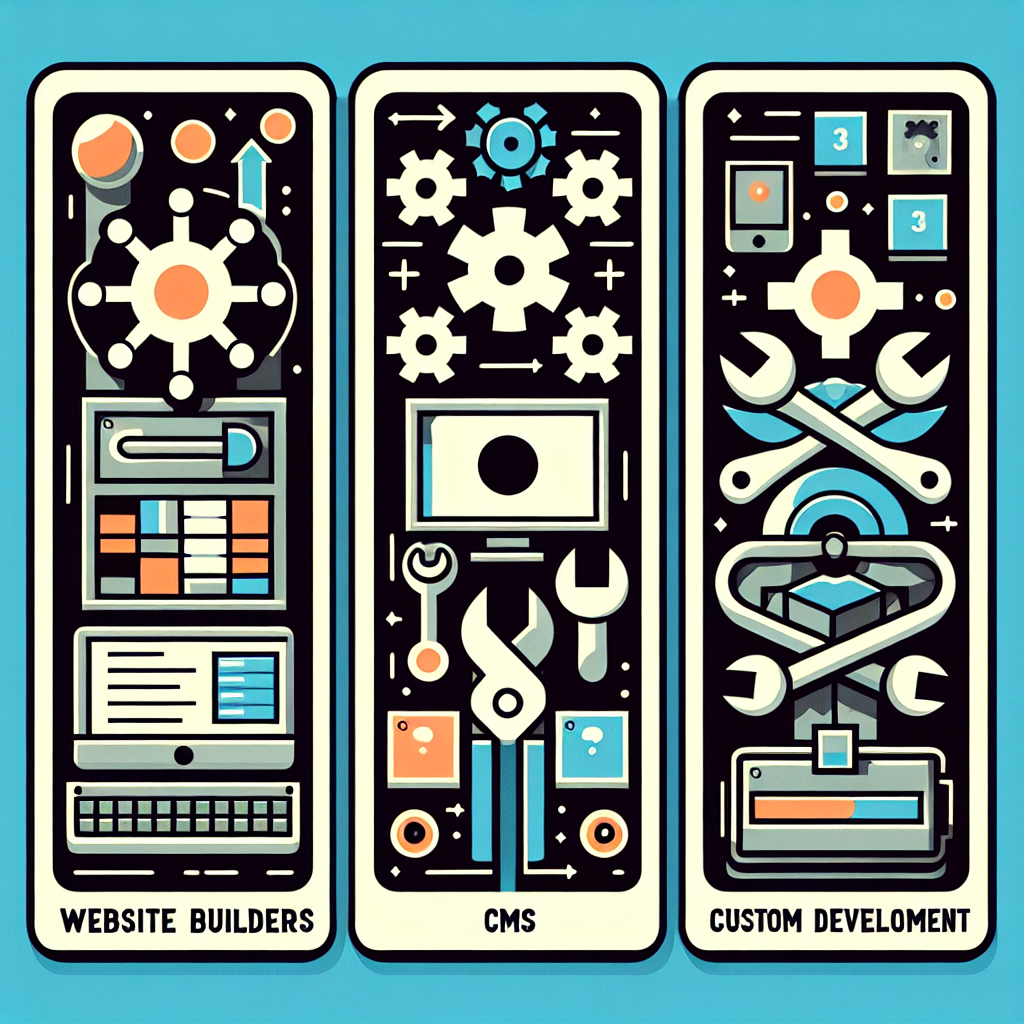
Before diving into individual tools, it’s worth understanding the three broad categories of web development approaches available to small businesses. Each involves a different level of technical involvement, cost structure, and long-term flexibility.
Website Builders (No-Code Options)
Website builders are platforms that allow anyone to create a website using a visual interface — typically drag-and-drop editors, pre-built templates, and guided setup wizards. These tools are designed for users with no coding experience. They handle hosting, security updates, and performance optimization automatically, so the business owner can focus entirely on content and design.
The trade-off is control. Website builders operate within predefined systems, meaning deep customization is often limited. They are ideal for businesses that need a professional-looking website quickly, without hiring a developer and without maintaining complex infrastructure.
Content Management Systems (CMS)
A CMS is software that allows users to create, manage, and modify website content without writing code from scratch. Unlike all-in-one builders, most CMS platforms require separate hosting and some basic configuration. However, they offer far more flexibility — thousands of plugins, themes, and customization options are available.
CMS platforms sit between the simplicity of website builders and the complexity of fully custom builds. They’re well-suited for small businesses that need blogs, portfolios, product catalogs, or other content-heavy sites and want the ability to expand features over time.
Custom Development Frameworks
Custom development involves writing code directly, usually using frameworks like React, Vue, Next.js, or Laravel. This approach gives developers complete control over every aspect of the website — from database architecture to front-end animations. It’s typically used when a business has very specific requirements that off-the-shelf tools can’t meet.
For most small businesses, custom development is overkill at the initial stage. It’s more expensive, takes longer, and requires ongoing developer support. That said, some small businesses with technical co-founders or very specific product needs do benefit from a custom-built approach from day one.
—
Best No-Code and Low-Code Website Builders for Small Business

No-code builders have matured significantly and in 2025 represent a genuinely viable option for many small business websites. They’re not just for beginners anymore — many include advanced features like membership portals, booking systems, and e-commerce integrations.
Wix, Squarespace, and Weebly Compared
Wix is one of the most widely used website builders globally. It offers hundreds of templates, an AI-assisted design tool called Wix ADI, and a robust app marketplace for extending functionality. Wix is particularly suitable for service-based businesses, local shops, and creative professionals who want a polished result without much technical effort. Its free plan is functional for basic use, though most businesses will want a paid plan to remove ads and connect a custom domain.
Squarespace is known for its visual design quality. Templates are clean, modern, and highly regarded in design communities. It’s a strong choice for photographers, consultants, restaurants, and any business where aesthetics are a priority. Squarespace also includes built-in blogging, scheduling (via Acuity), and basic e-commerce on paid plans.
Weebly, now owned by Square, is a more straightforward option. It’s less feature-rich than Wix or Squarespace but integrates naturally with Square’s payment ecosystem, making it a practical choice for brick-and-mortar businesses that already use Square for point-of-sale transactions.
All three offer drag-and-drop editing, SSL certificates, and mobile-responsive templates as standard. The right choice depends on your industry, design priorities, and whether you plan to sell products online.
Shopify for E-Commerce Small Businesses
Shopify deserves its own mention because it is purpose-built for e-commerce in a way that general website builders are not. For small businesses whose primary goal is selling products online — physical goods, digital downloads, or subscriptions — Shopify provides an end-to-end solution that covers storefront design, inventory management, payment processing, shipping integrations, and analytics.
Shopify’s app ecosystem is enormous, with thousands of integrations for email marketing, customer reviews, loyalty programs, and more. Its checkout flow is highly optimized for conversion. Plans start at around $29 per month, which is competitive when you consider how much functionality is bundled in.
Small businesses that need both a content site and a shop often find Shopify slightly limiting on the editorial side. In those cases, a headless Shopify setup connected to a CMS is worth exploring as the business scales.
—
Top CMS Platforms for Small Business Websites

Content management systems give small businesses more control over their website’s structure, content, and functionality. They require a bit more setup than drag-and-drop builders, but the payoff is greater flexibility and lower long-term costs.
WordPress: Features, Pros, and Cons
WordPress powers approximately 43% of all websites on the internet — a figure that reflects just how broadly applicable it is. The platform itself is free and open-source. You pay for hosting and any premium themes or plugins you choose to use.
WordPress excels at content management. Its block editor (Gutenberg) allows intuitive page building without code, while its plugin library — with over 60,000 options — covers almost any functionality a small business might need: contact forms, SEO optimization, e-commerce (via WooCommerce), booking systems, membership areas, and more.
Key considerations for WordPress:
- Requires self-managed hosting, which means you’re responsible for backups, updates, and security
- Learning curve for complete beginners is steeper than a website builder
- Managed WordPress hosting (via providers like SiteGround or WP Engine) can reduce maintenance burden significantly
- Highly SEO-friendly when configured correctly, especially with plugins like Yoast SEO or Rank Math
For most small businesses that want long-term flexibility and don’t want to be locked into a proprietary platform, WordPress remains the most practical CMS choice in 2025.
Webflow for Design-Focused Businesses
Webflow occupies an interesting space between a website builder and a traditional CMS. It uses a visual interface, like a builder, but generates clean semantic HTML, CSS, and JavaScript, like a developer would write by hand. This gives designers and design-focused small businesses a level of visual control that WordPress themes rarely match without significant custom development.
Webflow includes its own hosting infrastructure (fast, reliable, and globally distributed), a CMS for managing blog posts and other dynamic content, and an e-commerce module for product-based businesses. Plans start at $14 per month for basic sites.
The primary limitation of Webflow is its learning curve — it’s not designed for complete non-technical users, but rather for designers or business owners willing to invest a few hours learning the platform. Those who do often find it significantly more efficient for producing highly customized, visually sophisticated websites than standard WordPress themes allow.
—
Essential Front-End Development Tools
For small business owners working with developers, or developers handling small business projects, understanding the front-end tooling landscape helps make better decisions about what to build and how.
Code Editors and IDEs
Visual Studio Code (VS Code) is the dominant code editor in 2025. It’s free, open-source, and supported by an enormous extension library covering every major programming language and framework. Features like integrated Git, IntelliSense (code completion), and a built-in terminal make it a full development environment for most web projects.
Other popular options include Sublime Text (lightweight and fast), WebStorm (a full IDE from JetBrains, better for large JavaScript projects), and Cursor (a newer AI-augmented editor gaining traction with developers who use AI coding assistants). For most small business projects, VS Code is the standard starting point.
CSS Frameworks and UI Libraries
Tailwind CSS has become the go-to utility-first CSS framework for modern web development. Rather than writing custom CSS classes, developers apply pre-defined utility classes directly in HTML, which speeds up development and produces consistent results. It pairs well with React, Vue, and even plain HTML projects.
Bootstrap remains widely used, especially for projects where rapid prototyping or a familiar grid system is needed. It provides ready-made UI components (buttons, navbars, modals, cards) that reduce build time.
For React-based projects, shadcn/ui and MUI (Material UI) offer polished component libraries that help developers deliver professional-looking interfaces efficiently — useful when building custom tools or client portals for small business websites.
—
Back-End and Database Tools Worth Knowing
The back-end of a website handles data storage, user authentication, form submissions, and dynamic content. Small businesses rarely need complex back-end infrastructure, but understanding the options helps when working with developers or evaluating platforms.
Node.js with Express is a common back-end combination for JavaScript developers. It’s lightweight, well-documented, and works well for REST APIs and server-rendered applications. PHP remains widely used, particularly because WordPress runs on it — many shared hosting environments support PHP natively.
For databases, MySQL and PostgreSQL are the standard relational database options for most web projects. Both are free and supported by virtually every hosting provider. For simpler needs — like storing form submissions or basic product data — SQLite is a zero-configuration option that works well for smaller traffic volumes.
Supabase and Firebase are popular backend-as-a-service platforms in 2025. They provide databases, authentication, file storage, and APIs without requiring a developer to manage server infrastructure. They’re particularly useful for small businesses building web apps, membership areas, or custom tools without a dedicated back-end developer.
For serverless and API-based architectures, Netlify Functions and Vercel Edge Functions allow developers to add back-end logic to otherwise static sites — a pattern that combines the speed of static hosting with the flexibility of dynamic functionality.
—
SEO and Performance Tools Every Small Business Site Needs
A beautiful website that no one can find provides limited value. SEO and performance tools help ensure that your site ranks in search engines, loads quickly, and delivers a good user experience — all of which influence both traffic and conversion rates.
Google Search Console is a free tool from Google that shows how your site performs in search results. It highlights indexing issues, search queries bringing visitors to your site, and pages that may have technical problems. Every small business website should have Search Console set up from launch.
Google PageSpeed Insights analyzes a page’s loading performance and gives specific recommendations for improvement. Core Web Vitals — Google’s metrics for loading speed, interactivity, and visual stability — are now a confirmed ranking factor, making this tool practically essential.
Yoast SEO (for WordPress) and Rank Math are plugins that guide on-page SEO optimization. They analyze content for keyword usage, readability, meta descriptions, and internal linking, providing actionable suggestions without requiring SEO expertise.
Ahrefs and Semrush are premium tools for keyword research, competitor analysis, and backlink monitoring. While the full versions are priced for agencies and larger businesses, their free tiers and lower-cost plans offer genuine value for small business owners who want to build a content strategy.
GTmetrix is a performance testing tool that provides detailed breakdowns of page load times, file sizes, and specific optimization opportunities. It’s particularly useful for identifying issues like unoptimized images or render-blocking scripts.
—
Collaboration, Project Management, and Hosting Tools
Building and maintaining a website rarely happens in isolation. Whether you’re coordinating with a developer, a designer, or a marketing team, having the right collaboration and hosting infrastructure in place makes the process significantly smoother.
Web Hosting Platforms for Small Business
Hosting is where your website’s files live. The choice of hosting provider affects site speed, uptime, security, and how much ongoing maintenance is required.
Shared hosting (offered by providers like Bluehost, SiteGround, and Hostinger) is the most affordable option, typically ranging from $3 to $15 per month. It works well for low-to-medium traffic WordPress sites and basic HTML/PHP sites.
Managed WordPress hosting (via SiteGround, WP Engine, or Kinsta) includes automatic updates, daily backups, and performance optimization specific to WordPress. It costs more — typically $20 to $50 per month — but significantly reduces maintenance effort, making it a practical choice for business owners who don’t want to manage hosting details.
Static site hosting via Netlify or Vercel is free for many small-scale projects and provides excellent performance. It’s best suited for sites built with static site generators or headless CMS setups rather than WordPress.
Version Control and Team Collaboration
Git is the standard version control system used by virtually every professional web developer. It tracks changes to code over time, allows teams to work simultaneously without overwriting each other’s work, and makes it easy to roll back changes if something breaks. GitHub is the most widely used platform for hosting Git repositories, and it includes project management features like issues, pull requests, and project boards.
For design collaboration, Figma has become the dominant tool. It allows designers to create and share wireframes, mockups, and interactive prototypes that developers can inspect and build from. Many small business web projects start with a Figma design before any code is written.
Notion is a flexible project management and documentation tool popular with small teams. It works well for managing website content calendars, tracking development tasks, and storing style guides or technical documentation. It’s free for individuals and small teams with reasonable usage.
—
How to Choose the Right Web Development Tools for Your Budget
With so many tools available, decision fatigue is real. The following framework helps small businesses narrow down their choices based on practical constraints.
Start with your goals. Are you primarily publishing content, selling products, booking appointments, or building a web application? Each goal maps naturally to a different tool category. Content publishing → WordPress or Webflow. E-commerce → Shopify or WooCommerce. Appointments → Squarespace with Acuity or a dedicated booking plugin. Custom applications → a custom stack.
Assess your technical capacity. If no one on your team has web development experience, a hosted builder like Wix or Squarespace is a safer starting point than a self-hosted WordPress installation. If you have a developer involved, even part-time, WordPress or a custom framework opens up significantly more options.
Calculate total cost of ownership. Free tools often have hidden costs — paid plugins, premium themes, developer time for configuration, or upgraded plans to unlock needed features. Map out the realistic monthly cost across hosting, CMS, plugins or apps, and any tools for SEO or email. A realistic budget for a functional small business web stack in 2025 runs between $20 and $150 per month depending on features and traffic volume.
Consider long-term portability. Platforms like Wix and Squarespace lock your content into their systems. Migrating away is possible but time-consuming. WordPress and custom-built sites are easier to migrate between hosts or extend over time. If you anticipate growth or changing needs, favoring portability early saves effort later.
Don’t over-engineer early. Many small businesses start with more platform than they need, paying for features they won’t use for months or years. Start lean, launch quickly, and upgrade when genuine needs emerge rather than anticipated ones.
—
Frequently Asked Questions
What are the best web development tools for small businesses on a tight budget?
Tools like WordPress (free CMS), Wix (freemium builder), and VS Code (free code editor) offer powerful features at little to no cost. Pairing these with affordable shared hosting can keep total costs under $20 per month. Free tiers from Netlify and GitHub also help keep expenses low for lean projects.
Do I need to know how to code to build a small business website?
No — platforms like Wix, Squarespace, and Webflow allow you to build professional websites without any coding knowledge. However, learning basic HTML and CSS can help you customize your site further, troubleshoot issues faster, and communicate more clearly with developers when you do bring one in.
What is the best CMS for a small business website?
WordPress is the most popular CMS for small businesses due to its flexibility, large plugin ecosystem, and strong SEO capabilities. Webflow is a compelling alternative for businesses that prioritize visual design and want more layout control without writing custom CSS by hand.
What web development tools do professional developers use for small business projects?
Developers commonly use VS Code as a code editor, Git for version control, React or Vue for front-end work, and Node.js or PHP for back-end development. Hosting is often managed via platforms like Netlify, Vercel, or cPanel-based shared hosts, depending on the project’s requirements and traffic expectations.
How much does it cost to use web development tools for a small business?
Costs vary widely. Free tools like WordPress and VS Code exist alongside paid platforms like Shopify ($29 and up per month) or Webflow ($14 and up per month). A complete small business web stack — including hosting, CMS tools, plugins or apps, and basic SEO tools — typically runs between $20 and $150 per month in 2025.
Should a small business use Shopify or WordPress for their website?
Use Shopify if your primary goal is e-commerce, as it provides built-in payment processing, inventory management, and a highly optimized checkout experience. Choose WordPress if you need a content-heavy site with more customization flexibility and lower long-term costs, especially if e-commerce is a secondary feature rather than the core purpose.
—
Final Recommendations and Next Steps
The best approach to web development tools for small business is always a practical one. Start by identifying what your website actually needs to accomplish, then choose the simplest set of tools that meets those needs reliably and affordably. For most small businesses in 2025, that means either a hosted builder like Wix or Squarespace for simplicity, WordPress for flexibility and content, or Shopify for e-commerce. Layer in essential tools for SEO, performance, and hosting once the foundation is in place. As your business grows, your web stack can grow with it — but building on a solid, well-chosen foundation from the start makes that scaling process significantly easier. Take the time to map your goals to the right category of tool, and you’ll avoid expensive rebuilds down the road.