
How to Create a Website for Small Business (Step-by-Step)
Learning how to create a website for small business is one of the most valuable skills you can develop as an entrepreneur in 2025. Whether you’re opening a local bakery, launching a freelance consulting practice, or scaling an online store, your website is often the first impression a potential customer has of your brand. Yet many small business owners delay building one — either because they assume it’s too technical, too expensive, or too time-consuming. The good news is that none of those things need to be true. Today’s website builders have made it possible for anyone, regardless of technical skill, to create a professional, fully functional business website in a matter of days. This guide walks you through every step of that process — from defining what you need your site to do, to choosing the right platform, setting up your domain, designing your pages, adding essential features, optimizing for search, and finally launching with confidence.
—
Why Every Small Business Needs a Website in 2025

If you’re still running your business entirely through social media or word-of-mouth, you’re leaving significant opportunity on the table. According to recent consumer research, over 80% of shoppers research a business online before making a purchase or visiting in person. If your business doesn’t have a website, a meaningful segment of your potential customers simply won’t find you — or worse, they’ll find a competitor instead.
A website gives your business something that no social media profile can fully replace: a permanent, branded, controlled online presence. Social platforms change their algorithms, restrict reach, and can suspend accounts with little warning. Your own website, hosted on your own domain, belongs to you entirely. You control the design, the messaging, the content, and the customer experience from start to finish.
Beyond visibility and credibility, a well-built website is a working business tool. It can generate leads around the clock, process orders while you sleep, answer common customer questions, collect email subscribers, showcase your portfolio, and even book appointments — all without requiring your direct involvement. In 2025, the cost and technical barrier to building one has dropped so dramatically that there’s genuinely no reason to operate without one. Whether your business is brand new or has been running for years, the steps below will help you build something that works.
—
Step 1: Define Your Website Goals and Use Case

Before you choose a platform or pick a template, you need to be clear about what you want your website to actually do. This sounds obvious, but it’s a step many small business owners skip — and it leads to choosing the wrong tools, building the wrong pages, and spending time on features that don’t serve their customers.
Identifying Your Business Type and Primary Website Purpose
Start by asking yourself one question: what is the single most important action I want a visitor to take when they land on my site? The answer will vary widely depending on your business model.
A local plumber wants visitors to call or submit a service request. A boutique clothing store wants visitors to browse and purchase products. A personal trainer wants visitors to book a consultation. A restaurant wants visitors to view the menu and make a reservation. Each of these goals calls for a different website structure, different features, and often a different platform.
Write down your primary goal, then list two or three secondary goals. This simple exercise will guide every decision you make throughout the building process — including which pages to create, what to put above the fold on your homepage, and what features you need in your plan.
Choosing Between a DIY Builder and a Developer
Once you know what your site needs to do, decide whether you’ll build it yourself or hire someone to build it for you. Both paths have merit depending on your budget, timeline, and comfort with technology.
A DIY website builder is the right choice for most small businesses starting out. These platforms — Wix, Squarespace, Shopify, GoDaddy, and others — offer drag-and-drop editors, pre-designed templates, and built-in hosting. No coding is required. You can have a professional-looking site live within a few days, and monthly costs are predictable and manageable.
Hiring a developer or a web design agency makes sense if you have very specific functionality requirements, need a deeply custom design, or are building something at a scale that exceeds what DIY tools can handle. Custom development costs more upfront and takes longer, but it can be worth the investment for complex projects.
For the purposes of this guide, we’ll focus primarily on the DIY builder path — the most practical choice for the majority of small business owners.
—
Step 2: Choose the Right Website Builder for Your Business

Not all website builders are created equal. Each platform has strengths that make it a better fit for specific types of businesses. Choosing the right one from the start will save you from having to migrate later.
Best Website Builder for Small Business (General Use)
For general small business use — meaning you need a clean, professional website with a few core pages, contact features, and maybe a simple blog — Wix and Squarespace are consistently the top performers. Wix offers the most flexibility in terms of drag-and-drop design freedom and has a large library of templates sorted by industry. Squarespace is known for its polished, design-forward templates and particularly strong blogging and content tools. Both platforms include hosting, SSL certificates, and responsive mobile design in all paid plans.
GoDaddy’s Website Builder is worth considering if speed of setup is your top priority. Its AI-assisted builder can generate a basic site structure in minutes using just your business name and type, making it ideal for business owners who need something live quickly.
best website builder for ecommerce and Online Stores
If selling products online is your primary goal, Shopify is the industry standard. It’s built from the ground up for ecommerce, with robust inventory management, dozens of payment gateway integrations, abandoned cart recovery, and a massive app ecosystem. It scales from small boutiques to high-volume retailers without missing a beat.
For businesses that need ecommerce as a secondary feature alongside a content-heavy website, Wix and Squarespace both offer capable online store tools at lower price points than Shopify.
Best Website Builder for Restaurants and Local Businesses
Restaurants, cafes, and other local businesses have specific needs: menus, reservation systems, location maps, and hours of operation all need to be front and center. Wix has a dedicated restaurant suite with built-in menu builders, table reservation integrations, and food ordering capabilities. Squarespace also handles restaurant sites well, particularly for businesses that want a more upscale aesthetic.
For very local service businesses — plumbers, electricians, landscapers — GoDaddy and Wix both offer service-focused templates with appointment booking and review display built in.
Best Website Builder for Freelancers and Service Providers
Freelancers and independent service providers typically need a simple but polished site: an about page, a services or pricing overview, a portfolio or case studies section, and a way to get in touch or book a call. Squarespace shines here due to its clean aesthetic and strong portfolio display capabilities. Wix is also a solid option with more design flexibility if you want a more custom look.
For service providers who rely heavily on appointment scheduling, look for builders that integrate natively with tools like Calendly or Acuity Scheduling, or offer their own built-in booking features.
Best Website Builder for Photographers and Portfolios
Visual-first businesses need platforms that prioritize image quality and gallery presentation. Squarespace is widely regarded as the best option for photographers because of its full-bleed image layouts and gallery management tools. Format and SmugMug are niche platforms designed specifically for photographers that offer even more specialized features like client galleries and print sales, though they’re less suited for general business use alongside a portfolio.
—
Step 3: Register a Domain Name and Choose Hosting
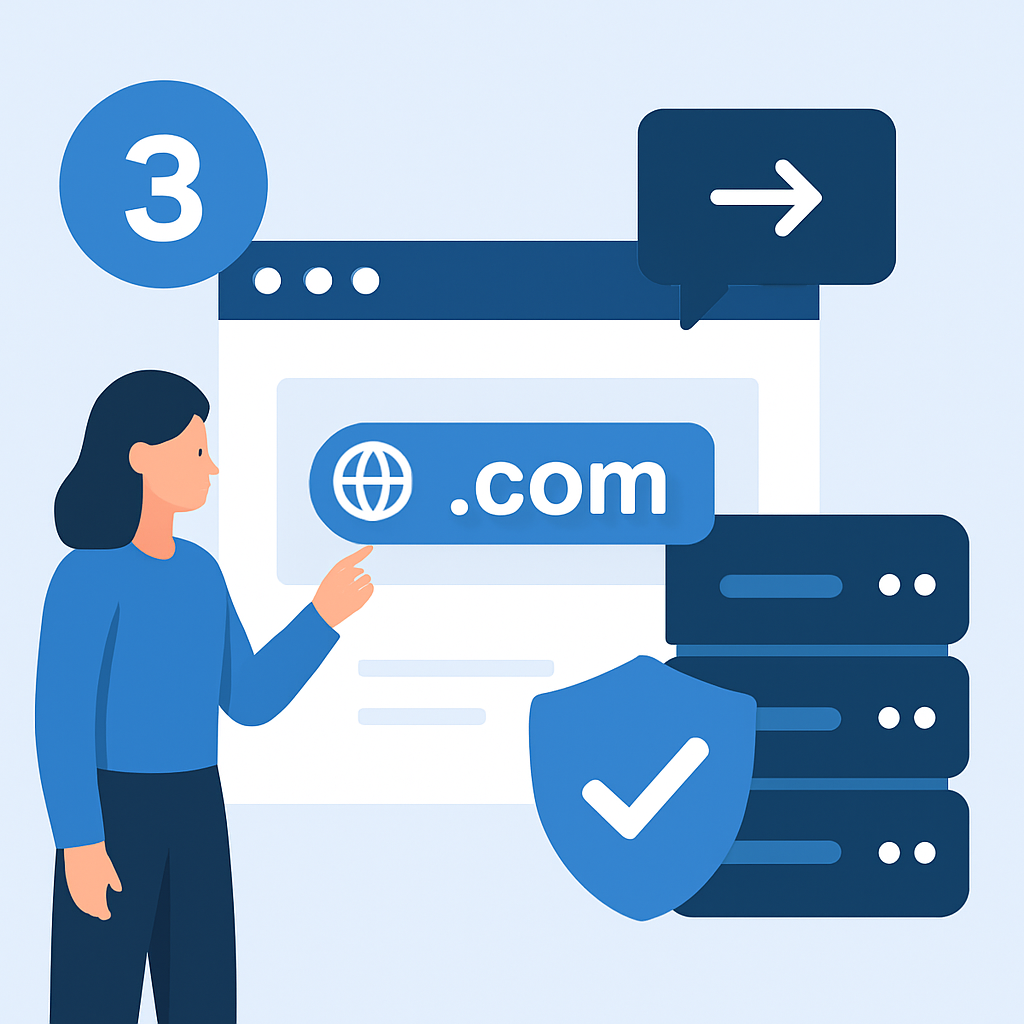
Your domain name is your business’s address on the internet, and it plays a meaningful role in both credibility and search engine visibility. Choosing the right domain name matters more than most people realize.
Tips for choosing a domain name:
- Keep it short, simple, and easy to spell
- Use your business name whenever possible
- Stick to a .com extension if available — it remains the most trusted and recognized
- Avoid hyphens, numbers, and unusual spellings that make it hard to communicate verbally
- Make sure it doesn’t infringe on any existing trademarks
Most website builders allow you to register a domain directly through their platform, often including a free domain for the first year with an annual paid plan. This is convenient, but be aware that renewing through a builder can sometimes cost more than registering through a dedicated domain registrar like Namecheap or GoDaddy Domains, where .com domains typically cost between $10 and $15 per year.
As for hosting, if you’re using a website builder like Wix, Squarespace, or Shopify, hosting is included in your monthly subscription — you don’t need to set it up separately. If you’re building with WordPress (the open-source self-hosted version), you’ll need to choose a web hosting provider separately. Hostinger, Bluehost, and SiteGround are popular options for WordPress hosting at a variety of price points.
Once your domain is registered, you should also set up a professional business email address using that domain (e.g., hello@yourbusiness.com). Google Workspace is the most widely used solution for this and integrates seamlessly with Gmail, Calendar, and Drive.
—
Step 4: Design Your Website — Pages, Layout, and Branding
With your platform chosen and your domain registered, it’s time to start building. Most small business owners begin by selecting a template from their chosen builder. Choose one that closely matches your business type and desired visual style — it’s much easier to customize an existing template than to build from scratch.
Essential Pages Every Small Business Website Needs
No matter what kind of business you run, certain pages are non-negotiable:
Homepage: This is your digital storefront. It should communicate who you are, what you do, who you serve, and what action you want visitors to take — all within the first few seconds of landing on the page. Use a clear headline, a supporting subheadline, and a prominent call to action (e.g., “Get a Free Quote” or “Book a Table”).
About Page: People do business with people they trust. Your About page humanizes your brand, shares your story, and communicates your values and credentials. Don’t overlook it — it’s often one of the most visited pages on a small business website.
Services or Products Page: Clearly describe what you offer, who it’s for, and what it costs (or how to get a quote). Be specific. Vague descriptions lose customers.
Contact Page: Make it easy for people to reach you. Include a contact form, your business phone number, email address, physical address if applicable, and a Google Maps embed for local businesses.
Testimonials or Reviews Section: Social proof is one of the most powerful conversion tools available. Dedicate space — either a standalone page or a section on your homepage — to customer reviews and testimonials.
Depending on your business, you may also want a Blog, FAQ page, Portfolio, Booking page, or Menu page.
Tips for Mobile-Friendly and Fast-Loading Design
More than half of all web traffic comes from mobile devices, which means a site that looks great on desktop but breaks on a smartphone is effectively broken for a large portion of your audience. All major website builders produce mobile-responsive designs by default, but you should still preview and test your site on mobile during the design process.
Speed is equally important. A page that takes more than three seconds to load loses a significant percentage of visitors. To keep your site fast, compress all images before uploading them, limit the use of autoplay videos and heavy animations, and avoid installing unnecessary plugins or apps. Most website builders handle server-side performance for you, but image optimization is almost always your responsibility.
—
Step 5: Add Key Features and Integrations
A good small business website doesn’t just display information — it does things. The features you add will depend on your goals, but several are useful for almost every business.
Contact Forms, Booking Tools, and Live Chat
A contact form is the baseline. Every business website should have one on the Contact page at minimum, and ideally in several places throughout the site. Most builders include a basic form builder in all plans.
If your business requires appointments — consultations, services, classes — adding an online booking tool dramatically reduces friction for potential customers. Many builders offer native booking features. For more advanced needs, integrations with Calendly, Acuity Scheduling, or SimplyBook.me are widely available.
Live chat tools like Tidio or Intercom allow you to answer customer questions in real time. For businesses that generate a lot of inquiries, live chat can meaningfully increase conversion rates by addressing hesitations before a visitor leaves the page.
Payment Processing and Ecommerce Setup
If you plan to accept payments online — whether for products, services, deposits, or subscriptions — you’ll need to connect a payment processor. Stripe and PayPal are the most common integrations across all major builders and are trusted by consumers worldwide.
For full ecommerce setups, take time to properly configure product pages, set up shipping and tax rules, and test the checkout flow before going live. A confusing or broken checkout experience is one of the leading causes of abandoned purchases.
—
Step 6: Optimize Your Website for Search Engines (SEO Basics)
SEO — search engine optimization — is the process of making your website more visible in search engine results. For small businesses, local SEO is particularly powerful: optimizing your site so it appears when people in your area search for what you offer.
Here are the foundational SEO steps every small business website should complete:
Set a unique title tag and meta description for every page. These are the text snippets that appear in search results. Your homepage title tag should include your business name and primary keyword (e.g., “Sunrise Plumbing | Emergency Plumber in Austin, TX”).
Use keywords naturally in your content. Include the terms your customers are likely to search for in your page headings, body text, and image alt text — but write for humans first, not search engines.
Create a Google Business Profile. For local businesses, this is one of the highest-impact SEO actions you can take. A verified Google Business Profile helps your business appear in local map results and Google Search for location-based queries.
Build internal links. Link between pages of your own website to help search engines understand your site structure and keep visitors engaged longer.
Get listed in directories. Consistent listings in Yelp, Bing Places, Apple Maps, and relevant industry directories build what’s called “local citation authority,” which supports your search rankings.
Most website builders include basic SEO tools — title tag editors, meta description fields, and sitemap generation — in their standard plans. Use them.
—
Step 7: Launch, Test, and Maintain Your Website
Before you press publish, take time to thoroughly test your site. Work through this checklist:
- Proofread every page for spelling errors, grammar mistakes, and outdated information
- Test all links — both internal navigation and external links — to make sure none are broken
- Submit a contact form yourself to confirm it delivers to the right email address
- Test the checkout flow if you have ecommerce — place a test order and then cancel or refund it
- View your site on multiple devices — desktop, tablet, and at least two different mobile screen sizes
- Check your site speed using a free tool like Google PageSpeed Insights and address any major issues flagged
- Set up Google Analytics (or your builder’s equivalent analytics) before launch so you start collecting data from day one
- Connect Google Search Console and submit your sitemap so Google can index your pages efficiently
Once you’re live, your website isn’t finished — it’s ongoing. Plan to review and update your content regularly, fix any technical issues that arise, renew your domain and hosting on time, and continue adding content (like blog posts or case studies) that supports your SEO over time.
—
How Much Does It Cost to Create a Small Business Website?
Understanding the cost breakdown helps you plan your budget realistically. Here’s what to expect at each level:
DIY Website Builder (Monthly Plans): Most paid plans fall between $10 and $50 per month, depending on the platform and features. Ecommerce plans tend to be higher — Shopify’s basic plan starts around $39/month, while Wix’s business plan is around $36/month. Annual billing usually reduces the effective monthly cost significantly.
Domain Name: Typically $10 to $15 per year for a standard .com domain. Some builders include a free domain for the first year with an annual plan subscription.
Professional Email: Google Workspace starts at around $6 per user per month and includes Gmail, Calendar, Drive, and Meet.
Additional Tools and Integrations: Booking software, live chat tools, and marketing integrations may add $10 to $50 per month depending on which services you use and at what usage tier.
DIY Total Estimated Annual Cost: For a straightforward small business website, expect to spend between $200 and $800 per year when using a DIY builder, depending on the platform and add-ons.
Custom Development Costs: If you hire a freelance developer or a web design agency, a basic custom website typically costs between $500 and $3,000. Complex ecommerce or custom web applications can range from $5,000 to $15,000 or more. Ongoing maintenance, hosting, and support will add to this.
The right choice depends entirely on your needs, budget, and how central the website is to your revenue model. Most small businesses launching for the first time are well served by a DIY builder until their needs outgrow what the platform can offer.
—
Frequently Asked Questions
What is the easiest way to create a website for a small business?
Using a drag-and-drop website builder like Wix, Squarespace, or GoDaddy is the easiest approach — no coding required. Most offer templates designed specifically for small businesses that you can customize in a few hours. These platforms handle hosting, security, and software updates automatically, so you can focus entirely on the content and design of your site.
How much does it cost to build a small business website?
A DIY website builder typically costs between $10 and $50 per month depending on the plan and features. Hiring a developer for a custom site can range from $500 to $10,000 or more depending on complexity. For most small businesses, a DIY builder is the most cost-effective starting point and covers the majority of common needs without requiring a large upfront investment.
Do I need a domain name and hosting to create a business website?
Yes, a custom domain name (e.g., yourbusiness.com) is essential for credibility and SEO. Most website builders include hosting in their plans, and many offer a free domain for the first year. Operating without a custom domain — on a branded subdomain like yourbiz.wixsite.com — looks unprofessional and can limit your ability to rank well in search engine results.
Which website builder is best for a small business with an online store?
Shopify is the top choice for businesses focused primarily on ecommerce, while Wix and Squarespace are strong options for small businesses that need both a website and basic online selling features. The right choice depends on how central ecommerce is to your business model — Shopify’s tools are more powerful for high-volume selling, while Wix and Squarespace offer more flexibility for content-heavy sites that also sell.
How long does it take to build a small business website?
Using a website builder with a pre-made template, most small business owners can launch a basic site within one to three days. A more complex site with ecommerce, custom integrations, or a large content library may take one to two weeks to build properly. Setting aside dedicated time rather than building in fragments will significantly speed up the process.
Can I build a small business website for free?
Some builders like Wix and Weebly offer free plans, but they display ads and use a branded subdomain (e.g., yourbiz.wixsite.com). For a professional presence, a paid plan with a custom domain is strongly recommended. The cost of a basic paid plan is low enough — often less than $20 per month — that it’s rarely worth compromising your brand’s credibility to save on it.
—
Final Thoughts
Building a website for your small business no longer requires technical expertise, a large budget, or weeks of work. By following the steps in this guide — defining your goals, choosing the right platform, registering your domain, designing your pages, adding key features, optimizing for SEO, and testing before launch — you can create a professional online presence that genuinely serves your business. The most important step is simply to start. Choose a platform that fits your needs, pick a template, and begin building. A simple, well-structured website published today will do far more for your business than a perfect one you’re still planning six months from now.